What one business is asking
"Our company has 25 employees, and our only IT person is leaving soon. Should we hire someone to manage our computers, network, and technical issues, or outsource IT support to an MSP? We've received very different quotes, so what would be a reasonable monthly cost for a company our size?"
Here's how most businesses meet IT support for the first time. Something stops working. Usually it's something important, usually at a bad hour, and the one person who knew how it worked is unreachable.
That forum question comes up in one form or another every week, and the replies are mostly people arguing past each other. Here's what's actually included in IT support and whether you should hire or outsource it. There's a look at the cost of different support models and how to choose the right one. There are sections on support for different regions, including the USA, UK, UAE, Canada, and Australia — because a quote that looks normal in Toronto can look strange in Dubai.
What does IT support include for a business?
IT support means keeping your computers, networks, software, and data working and safe, day after day. A password reset counts. So does rebuilding a server after it dies.
The visible part: help desk
It's the stuff your staff complains about. Email won't sync. The laptop takes ten minutes to start. A new hire starts Monday and has no account. A decent provider fixes the root cause. A poor one closes the ticket, and you get the same ticket again on Thursday.
The invisible part
This is where the real value sits. Patches get installed before anyone hears about the vulnerability. Backups get tested, not just assumed to work (plenty of companies learn the difference during a crisis). Someone notices a laptop behaving oddly at 2 am. Break-fix technicians, the old "call us when it breaks" model, make money from failure. Managed IT services flip that. The provider earns from stability, so prevention suddenly matters to them.
Security and compliance
Multi-factor logins, email filtering, and phishing drills are now standard. The rules behind them depend on where you work. A US medical practice has HIPAA hanging over it. In the UK, it's UK GDPR, and plenty of firms chase Cyber Essentials to win contracts. Canada has PIPEDA. In Australia, many businesses work toward the Essential Eight from the ACSC. UAE firms deal with the federal data protection law, and anyone in DIFC has extra rules on top. A provider who's never heard of yours is a problem.
In-house IT vs outsourced IT support
For companies under about 50 people, outsourcing usually costs less and breaks less. One employee can't be your help desk, your security lead, and your cloud engineer. They also take holidays, catch flu and, as our forum poster discovered, resign.
When an in-house hire is the right call
There are cases where you literally need a person on the factory floor. Think machines on a network, or a hospital where a delay means real harm. Or you run software so custom that only an internal person will ever really understand it. Hire in those cases and don't feel bad about it.
When IT outsourcing makes more sense
Most offices don't need a full-time IT team like that. They need a mix of skills across networking, security, Microsoft 365, and backups, but not necessarily every day. At the same time, they can't afford to be without support when someone is away, so a blended approach often works best. In Manchester, for instance, you might have an accountancy firm with one internal technician who handles day-to-day requests, and an outside partner who monitors security alerts and works on projects. That's co-managed IT, and it works well once you're growing.
For our 25-person forum poster, replacing the admin means paying a recruiter, waiting two months, and ending up with the same single point of failure. I'd outsource — at the very least for the first year while things settle.
Weighing one more hire against outsourcing?
Tell us your team size and what's breaking. We'll help you scope dedicated IT support, with a clear scope of work and costs you can compare to a local hire.
How much does IT support cost?
In the UK, managed IT support typically costs between £15 and £90 per user each month. It's higher in the US and Canada. What's behind the spread? Mostly what's included.
A UK small business guide says top-tier monitoring and security plans can cost anywhere from £15 to £30 per user per month, and full-service plans usually start around £35 a month and can stretch up to £90. A US guide, meanwhile, refers to a monthly charge of about $250 per user and $1,200 to $3,500 for an all-in-one package. Canadian and Australian quotes often land somewhere between once you convert currency. The UAE is tougher to generalise — a Dubai local, a regional firm, and a fully remote provider can quote wildly different numbers for the same job.
Why your quotes don't match
Quotes differ because the packages differ. So ask a few blunt questions. Is the help desk unlimited, or capped at so many hours? Is hardware included? Are security tools and backups in that price, or sold separately? What about projects, like an office move?
I've seen the cheapest quote turn out the most expensive, purely because security and backups were add-ons. Get the full scope in writing, and read it.
What does an IT outsourcing company do?
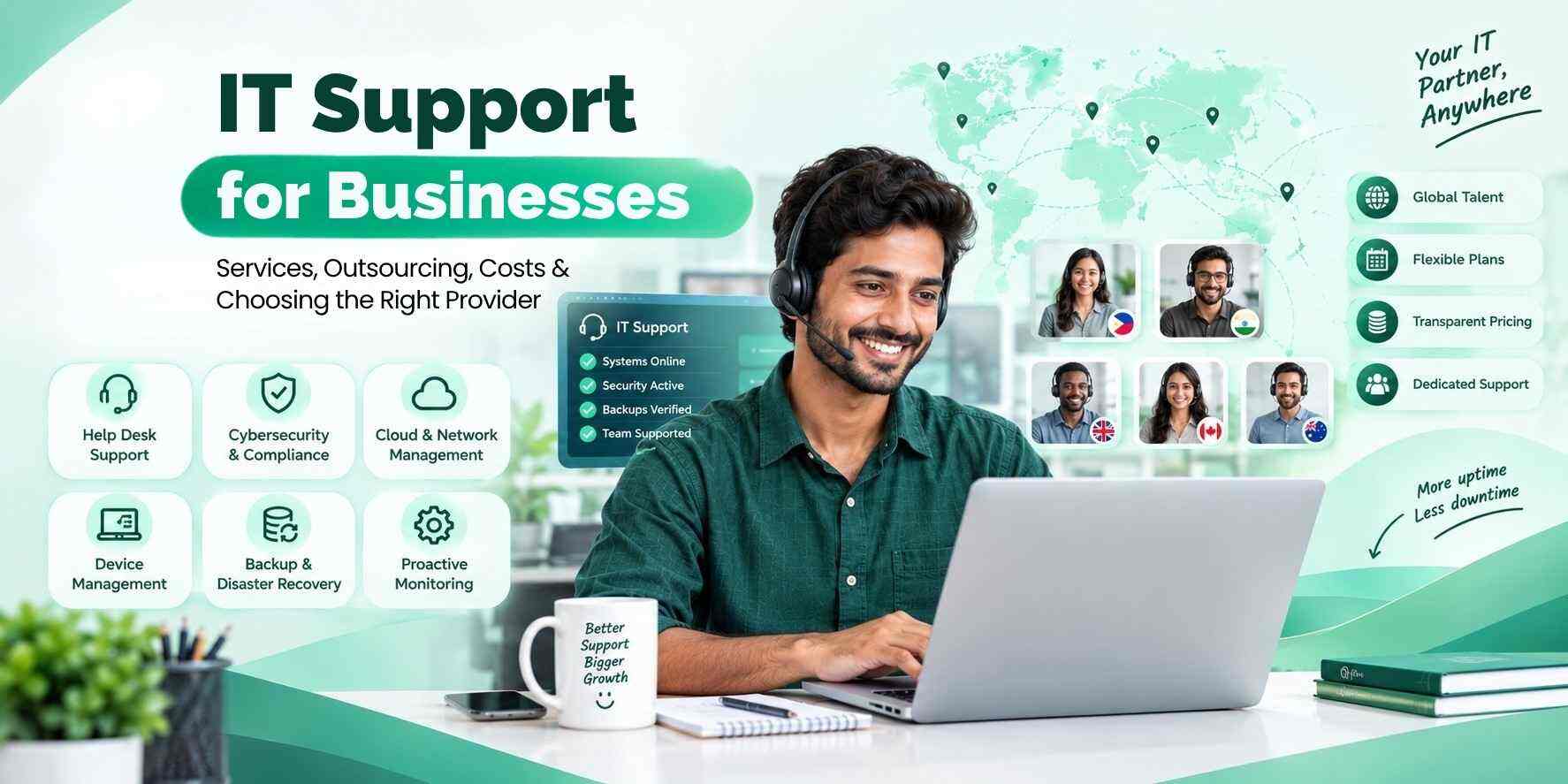
IT outsourcing companies take on some or a lot of your technical workload, using their own staff and equipment. They'll run your help desk and keep an eye on your network, and they might even manage your cloud accounts or send in someone from their own team to lend a hand.
Managed IT services
This is the classic setup. You pay a flat monthly fee, and the provider looks after the everyday environment. Monitoring, patching, backups, user support, and a report each month.
IT consulting
Consulting is the thinking side. Choosing software, preparing for an audit, planning a move to the cloud, or finding out why your Wi-Fi dies in the meeting room. Some firms buy a day of it a year. Others get a quarterly strategy meeting in their contract, which I think is underrated.
Dedicated remote staff
There's a third option people overlook. You can outsource the hiring of remote IT experts to a partner, then decide on their priorities yourself. The partner recruits the right people, pays them, buys their equipment, and deals with HR. You come out ahead financially — you're not paying for a local hire — and you still get a real person who learns the ins and outs of your business.
How to choose the right IT support provider
When selecting a provider, look for one that lays out their response times clearly, keeps pricing transparent, takes security seriously, and can rustle up references from businesses similar to yours. If they can't or won't give you straight answers, it might be time to shop elsewhere.
My own checklist, in roughly the order I'd use it:
- Read the service level agreement. "24/7 support" means nothing until you see response and resolution times.
- Ask who'll actually answer. A named contact beats a faceless queue.
- Look at the provider's own security. They'll hold admin keys to your systems, which makes them a target. Ask about their multi-factor setup, staff vetting, and insurance.
- Test their local knowledge. A Dubai company needs someone who knows UAE data rules. A clinic in Ontario needs someone who understands Canadian privacy law.
- Find out how you leave. You should be able to take your documentation and credentials with you.
- Call two references. Ask what went wrong. Every provider has a bad week; what you want to hear is how they handled it.
Beware of long-term contracts, providers who fob you off on pricing, and anyone who stonewalls you on backups. Ask how they'd react if your business got hit by a ransomware attack — their response tells you how prepared they really are.
A provider worth considering: The Remote Staff
If you'd rather have dedicated people than a shared ticket queue, take a look at The Remote Staff. It supplies remote pros who become an extension of your own business. You control how things are prioritised, and they take care of the hiring and all the admin. It's designed for growing firms in the US, UK, UAE, Canada, and Australia that need to add capacity without breaking the bank or the hassle of hiring locally.
Comparison table
| Factor | In-house IT hire | Typical local MSP | The Remote Staff |
|---|---|---|---|
| Cost model | Salary, benefits, equipment | Monthly fee per user or flat rate | Monthly cost per remote team member |
| Setup time | Weeks to months | Days to weeks | Usually faster than local hiring |
| Cover when someone's away | Gaps likely | Shared team covers | Depends on team setup |
| Control over daily priorities | High | Limited | High — you direct the work |
| Scalability | Slow | Moderate | Add or reduce staff as needed |
| Best for | Large or on-site heavy firms | Hands-off management | Businesses wanting dedicated, affordable support |
Why choose The Remote Staff for IT support?
The main draw is that you get your own people. They learn your systems, your staff, and your daily habits, so they don't start over each time someone submits a ticket. And the cost tends to be less than hiring locally, because you avoid recruitment fees, office space and most of the overheads.
Flexibility counts in your favour too. Need an extra tech for a three-month migration? Bring one in for that period, then scale back down when it's done. Because the work can be arranged around your hours for each market, it works well if you have remote staff or offices across several cities. And you stay in charge — you decide what needs doing first, and you review the work yourself.
Frequently asked questions
Support can cover a whole host of things, from help desk assistance to device management, network maintenance, software updates, backups, security, and getting new staff up to speed. Some plans also include regular review of your IT strategy and help with compliance requirements.
Managed plans typically cost between £15 and £90 per user a month in the UK; in the States you're usually looking at $100 to $250 per user a month, with the final cost depending on what you're getting in support, security and response times.
A lot of the time it makes sense for smaller businesses — those with fewer than 50 employees — to outsource, because it gives you far more access to IT skills and reduces the cost to a predictable number. For bigger companies or more complex needs, building an in-house team can be worthwhile, sometimes with the help of an external IT partner.
They use their own team to take care of your IT needs — some or all of it. Services often include help desk support, system monitoring, cloud management, cybersecurity, and just about any other IT project you need done.
Absolutely, and they should. A good provider handles multi-factor authentication, software updates, email security, backups, staff training, and makes sure you meet regulatory requirements like HIPAA, UK GDPR, PIPEDA, or the Essential Eight.
It can be the way to go when your IT team is stretched thin, downtime is starting to affect the business, a key person leaves, or your security and compliance needs are getting too much for one person to handle.
Look for clear pricing, written response times, strong security credentials put in writing, knowledge of local regulations, genuine customer references, and fair terms if your business decides to cut ties.
Yes. Remote monitoring, cloud management and secure-access tools make it much easier to support businesses with shops in several places or staff working from home.
Plans usually include help desk support, 24/7 monitoring, software patching, backup management, endpoint security, and regular reports. Expect to pay extra for complex things like hardware, bigger projects or top-tier security services, so check what's included upfront.
Conclusion
Good IT support isn't the most exciting thing in the world. What you want is someone competent who can pick up the phone before a small issue turns into a costly one. For most growing businesses, outsourcing is a great way to get the support you need — as long as you do your due diligence and look closely at what's proposed before you commit.
If you're weighing your options, have a chat with The Remote Staff about what dedicated IT support might look like for your team. Ask to see a clear scope of work and a full cost breakdown, then compare it to what you're paying now.
Want dedicated IT support, not a shared queue?
We'll build you a remote IT specialist or team that learns your systems and works your hours — hiring, payroll and admin handled. You set the priorities.